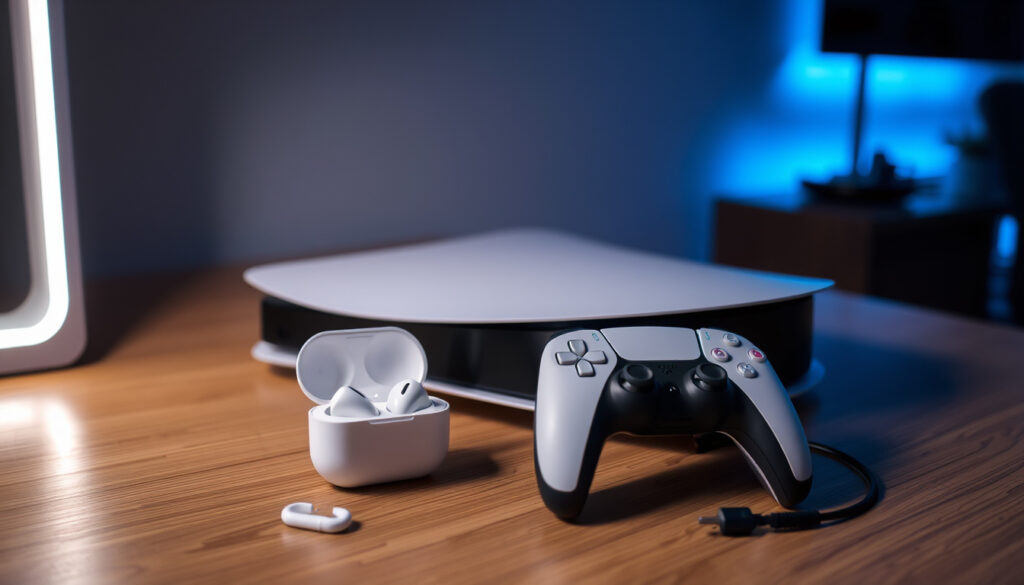
Can You Connect AirPods to a PS5? How to Do It (2025 Guide)
Your PS5 won’t recognize your AirPods because Sony deliberately disabled Bluetooth audio for headphones. The workaround requires an extra purchase — either a Bluetooth USB adapter or, for AirPods Max owners, the new Apple USB-C to 3.5mm cable — and comes with trade-offs in latency and mic quality.
PS5 native Bluetooth audio support: No (Sony disabled Bluetooth audio for headphones) ·
AirPods connection method: Bluetooth USB adapter (standard) or wired (AirPods Max only) ·
Typical latency with Bluetooth adapter: 200–300 ms (noticeable in games) ·
Mic functionality via adapter: Varies by adapter; generally works but quality lower than dedicated headsets
Quick snapshot
- PS5 does not support Bluetooth audio for headphones (Nacon (gaming accessories brand))
- Bluetooth USB adapters work to connect AirPods wirelessly (Turtle Beach (gaming audio manufacturer))
- Apple USB-C to 3.5mm cable works for wired AirPods Max on PS5 (Android Police (tech news outlet))
- Which specific Bluetooth adapters provide low latency and good mic quality (Avantree (Bluetooth audio specialist))
- Whether future PS5 firmware updates will enable native Bluetooth audio (Avantree (Bluetooth audio specialist))
- Exact latency figures per adapter brand (Avantree (Bluetooth audio specialist))
- November 2020: PS5 launches with no Bluetooth audio support for headphones
- September 2024: Apple releases USB-C to 3.5mm Audio Cable, enabling wired connection for AirPods Max (USB-C model)
- March 2025: Reddit posts confirm AirPods Max 2 works wired on PS5 using the new cable
- More third-party adapters may improve latency and mic routing
- No indication Sony will enable native Bluetooth audio for headphones
- Wired AirPods Max connections could become the standard for low-latency audio
Six key facts about connecting AirPods to PS5, one pattern: every method requires an extra purchase — either a Bluetooth adapter or a wired cable — and none match the seamless experience of a dedicated gaming headset.
The table below summarizes the core trade-offs between wireless and wired approaches.
| Fact | Detail |
|---|---|
| PS5 native Bluetooth headphone support | No (disabled by design) |
| AirPods connection method | Bluetooth adapter (standard); wired for AirPods Max with USB-C cable |
| Latency | 200–300 ms (Bluetooth); near-zero (wired) |
| Microphone support | Yes, via Bluetooth adapter (quality varies); wired retains mic |
| Battery life while gaming | Limited to AirPods’ battery (~5 hours); no charging during use |
| Cost to connect | $15–$40 for Bluetooth adapter; $35 for Apple cable |
Can you connect AirPods to a PS5?
The short answer: yes, but not through the console’s built-in Bluetooth. Sony deliberately disabled Bluetooth audio for headphones on the PS5. As Nacon (gaming accessories brand) explains, “The PS5 does not natively support standard Bluetooth audio headphones, so AirPods cannot pair directly for game audio without a workaround.”
Can I connect Bluetooth headphones to PS5?
Only if the headphones come with their own USB wireless adapter, like the PULSE Elite from PlayStation Direct (Sony’s official gaming headset). For standard Bluetooth headphones — including AirPods — you need a third-party Bluetooth USB adapter plugged into the console. Turtle Beach (gaming audio manufacturer) confirms: “PS5 does not support standard Bluetooth audio headphones natively, even though the console has Bluetooth built in.”
Why can’t PS5 do Bluetooth audio?
Sony chose to reserve the PS5’s Bluetooth bandwidth for the DualSense controller to minimize input lag. The hardware supports A2DP (Advanced Audio Distribution Profile) but Sony never enabled it in the system software. Android Police (tech news outlet) notes that “Sony did not allow PS5 to support Bluetooth audio connections.” This is not a bug — it’s a deliberate design decision that forces gamers toward Sony’s own wireless headsets.
Sony’s Bluetooth restriction is the core bottleneck. No firmware hack or hidden menu will unlock it. The workarounds exist, but they all come with trade-offs.
How to connect AirPods to a PS5 console?
How to connect AirPods to PS5 without an adapter?
For standard AirPods (1st, 2nd, 3rd gen, AirPods Pro, AirPods Pro 2 with Lightning or USB-C case), there is no wireless method without an adapter. The only “no-adapter” route is wired — and that only works for AirPods Max (USB-C model) using Apple’s USB-C to 3.5mm Audio Cable. Android Police (tech news outlet) recommends wired connection if sound quality is your priority, but for most AirPods owners, the Bluetooth adapter is the only option.
How to connect AirPods Max to PS5 without an adapter?
- Purchase the Apple USB-C to 3.5mm Audio Cable (released September 2024).
- Connect the cable to the USB-C port on your AirPods Max (USB-C model only; Lightning model does not support this).
- Plug the 3.5mm end into the DualSense controller’s headphone jack, or directly into the PS5’s front USB port (using a USB-C to 3.5mm adapter if needed).
- Go to Settings > Sound > Audio Output on the PS5 and select the connected device.
This method delivers near-zero latency and retains microphone functionality. The trade-off: you’re tethered to the controller with a cable.
How to connect AirPods to PS5 using a Bluetooth adapter?
- Buy a Bluetooth USB adapter designed for audio (e.g., Avantree DG80, TP-Link UB500, or similar). Avantree (Bluetooth audio specialist) recommends transmitters with aptX Low Latency to minimize delay.
- Plug the adapter into a USB port on the back of the PS5 (front port works too). The console will recognize it as a generic USB audio device.
- Put your AirPods into pairing mode (hold the button on the back of the case until the LED flashes white).
- Press the sync button on the Bluetooth adapter (usually a small button near the LED). The AirPods and adapter will pair within a few seconds.
- On the PS5, go to Settings > Sound > Audio Output and select the USB device as the output.
That’s it. Now your AirPods are connected wirelessly. But don’t expect a perfect experience — latency typically runs 200–300 ms, which is fine for story games but annoying in rhythm games or competitive shooters.
Do AirPods work well on PS5?
Can you use AirPods on PS5 as a mic?
Yes, but with caveats. Many basic Bluetooth adapters do not route the microphone signal from your AirPods to the PS5. Android Police (tech news outlet) warns that “AirPods cannot be used as a microphone on PS5 without a Bluetooth adapter that supports microphone routing.” Some adapters, like those from Avantree (Bluetooth audio specialist), offer a “talk mode” that enables mic input, but it switches audio to mono and can degrade quality. The wired AirPods Max method retains full microphone functionality because the cable carries both audio channels.
Can you use AirPods as a headset on PS5?
“As a headset” implies both game audio and voice chat. With the right adapter, yes — but the experience is inconsistent. Turtle Beach (gaming audio manufacturer) notes that “Bluetooth adapter use generally has higher latency than a 2.4 GHz wireless transmitter and limited microphone support.” You’ll also be constrained by AirPods’ battery life — roughly 5 hours of talk time, and you can’t charge them while in use via a Bluetooth adapter.
AirPods offer decent audio for casual play, but the combination of latency, limited mic quality, and battery constraints makes them a compromise. Competitive gamers should look elsewhere.
Upsides
- No extra cost if you already own AirPods and a compatible Bluetooth adapter
- Wired AirPods Max (USB-C) offer near-zero latency and full mic use with the Apple cable
- Wireless convenience for gaming when latency isn’t critical
Downsides
- 200–300 ms latency makes AirPods unsuitable for rhythm games and fast-paced shooters
- Mic quality often poor; many adapters don’t support microphone routing
- AirPods battery limited to ~5 hours; no charging while in use via Bluetooth adapter
- No volume control from PS5; must adjust on AirPods or adapter
Timeline: How AirPods-PS5 compatibility evolved
- November 2020: PS5 launches with no Bluetooth audio support for headphones. Users discover workarounds with third-party USB Bluetooth adapters (Nacon (gaming accessories brand)).
- September 2024: Apple releases USB-C to 3.5mm Audio Cable, enabling wired connection for AirPods Max (USB-C model) (Android Police (tech news outlet)).
- March 2025: Reddit posts confirm AirPods Max 2 works wired on PS5 using the new cable. The Bluetooth adapter remains the only wireless option for all other AirPods models.
What’s confirmed and what’s unclear
Confirmed facts
- PS5 does not support Bluetooth audio for headphones (PlayStation Support (official Sony help))
- Bluetooth USB adapters work to connect AirPods wirelessly (Turtle Beach (gaming audio manufacturer))
- Apple USB-C to 3.5mm cable works for wired AirPods Max on PS5 (Avantree (Bluetooth audio specialist))
What’s unclear
- Which specific Bluetooth adapters provide low latency and good mic quality
- Whether future PS5 firmware updates will enable native Bluetooth audio
- Exact latency figures per adapter brand
What the experts say
“Yes, you can connect AirPods to a PS5, but not directly through the console’s native Bluetooth. Since the PS5 does not support Bluetooth audio…”
— Avantree (Bluetooth audio specialist), company blog
“While it’s possible to use AirPods with the PS5, they may not be the ideal choice. Even with a Bluetooth adapter, the connection is limited.”
— Nacon (gaming accessories brand), company blog
Summary
Connecting AirPods to a PS5 is possible, but it’s a patchwork solution — not a feature. Sony’s decision to block Bluetooth audio forces users into either a Bluetooth adapter (with latency and mic compromises) or a wired cable (only for AirPods Max). For PS5 gamers who already own AirPods, the choice is clear: use a Bluetooth adapter for wireless convenience but accept the latency and battery limits, or invest in a dedicated gaming headset for reliable performance. The pattern is that every workaround demands an extra purchase and acceptance of trade-offs that dedicated headsets avoid.
youtube.com, reddit.com, avantree.com, reddit.com, youtube.com, youtube.com
For a seamless start, ensure your AirPods are properly paired with a compatible device, such as pairing AirPods with an iPhone, before attempting to connect them to a PS5.
Frequently Asked Questions
Can you use AirPods as a mic on PS5?
Yes, but only if the Bluetooth adapter supports microphone routing. Some adapters offer a talk mode that enables mic input, though audio may switch to mono. Wired AirPods Max retain full mic functionality.
Do AirPods work with PS5 without an adapter?
Only AirPods Max (USB-C model) can connect without a Bluetooth adapter, using Apple’s USB-C to 3.5mm audio cable. All other AirPods models require a Bluetooth USB adapter.
Can you connect AirPods to PS4?
Yes, the PS4 supports Bluetooth audio natively for headphones. AirPods can pair directly with the PS4 without any adapter, though microphone support is limited.
Can you connect AirPods to PS5 Pro?
The PS5 Pro, if released, is expected to have the same Bluetooth limitations as the standard PS5. The same adapter-based workarounds would apply.
What is the best Bluetooth adapter for AirPods on PS5?
Look for adapters with aptX Low Latency support, such as the Avantree DG80 (35 ms latency) or TP-Link UB500. Check user reviews for PS5 compatibility.
Are AirPods Max compatible with PS5?
Yes. AirPods Max with USB-C can connect via Apple’s USB-C to 3.5mm cable for wired use. Wireless connection requires a Bluetooth adapter. Lightning-based AirPods Max work only via Bluetooth adapter.
Does the PS5 support Bluetooth headphones at all?
No. Sony disabled Bluetooth audio for headphones. The PS5’s Bluetooth is reserved for the DualSense controller. Official wireless headsets use proprietary 2.4 GHz USB dongles.
Related reading
More related posts
 Windows 11 Release Date: Upgrade Deadline & What’s Next
 Grow a Garden Shop Guide: Pets, Tokens, & Tips
 Does Honey Go Bad? Shelf Life, Signs of Spoilage & Storage
 How to Get Rid of Sulfur Burps Instantly: Causes & Remedies
 What Is Memorial Day? Meaning, History, and Traditions
 Traductor English to Spanish: Best Free Tools & How to Use Them
 Hair Dresser Near Me: Ireland Costs & Tipping Guide
 England vs Senegal Lineups: Starting XI & Match Report