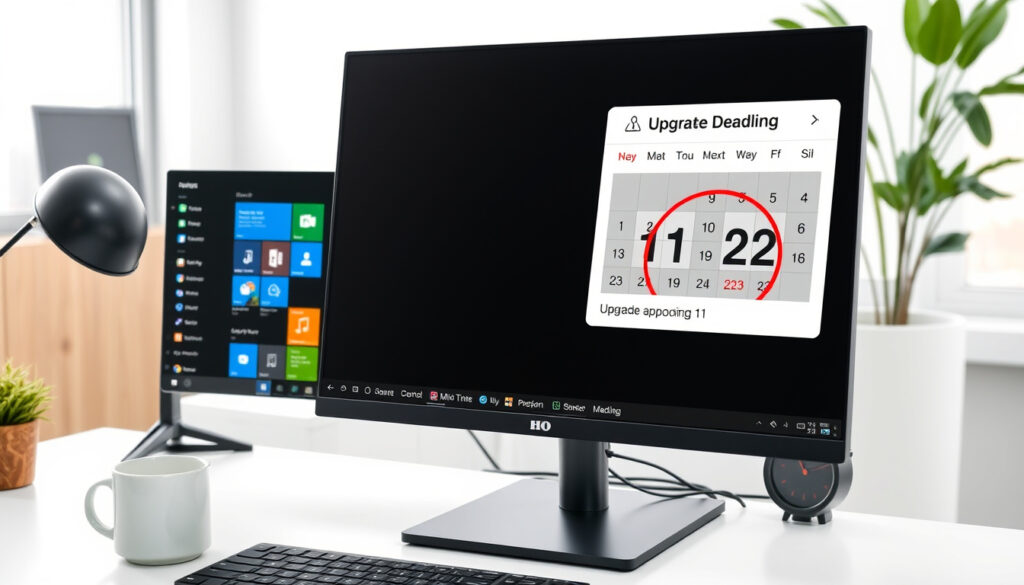
Windows 11 Release Date: Upgrade Deadline & What’s Next
For anyone running a Windows 10 PC, a quiet deadline is already here—or coming fast. Microsoft stopped supporting Windows 10 on October 14, 2025, and that changes the upgrade math for millions of users. This article walks through what happened with the Windows 11 release date, whether you can still get the free upgrade, and what the Windows 12 rumors actually mean.
Windows 11 initial release: October 5, 2021 ·
Latest public version: 23H2 (released October 2023) ·
Upcoming version: 26H1 (early 2026, new devices only) ·
Windows 10 end of support: October 14, 2025
Quick snapshot
- Windows 11 launched October 5, 2021 (Wikipedia – Windows 11 version history)
- Feature updates roughly annual (22H2, 23H2) (Wikipedia – Windows 11 version history)
- 26H1 confirmed for early 2026 on new devices (Wikipedia – Windows 11 version history)
- Free upgrade still possible in 2025 (Microsoft Support – Windows 10 support has ended)
- Windows 10 support ends October 14, 2025 (Microsoft Support – Windows 10 support has ended)
- Hardware requirements must be met (Microsoft Support – Windows 10 support has ended)
- No official announcement as of 2025
- Windows 11 26H1 is the nearest update
- Speculation points to 2026–2027 release
- TPM 2.0, 4GB RAM, 64GB storage (Microsoft Support – Making the transition to a new era of computing)
- Supported CPU list from Microsoft (Microsoft Support – Making the transition to a new era of computing)
- Check compatibility with PC Health Check app (Microsoft Support – Making the transition to a new era of computing)
Five key facts, one pattern: the Windows 11 release date history shows Microsoft has settled into a predictable annual feature update rhythm, but the looming Windows 10 support cut is what makes the upgrade decision urgent now.
| Label | Value |
|---|---|
| Initial Release | October 5, 2021 |
| Current Version | 23H2 (released October 2023) |
| Upcoming Version | 26H1 (early 2026, new devices only) |
| Windows 10 End of Support | October 14, 2025 |
| Windows 11 End of Life | October 10, 2026 (for initial release) |
Is Windows 12 coming out?
There’s a lot of chatter about a next-generation Windows release, but the official record is clear: Microsoft has not announced Windows 12 as of 2025. The company’s Microsoft Learn – Windows 11 release information page lists version 24H2 as the 2024 update and version 25H2 as the 2025 update, with version 26H1 scoped for new devices in early 2026. No mention of a “Windows 12” anywhere.
Current Microsoft statements on Windows 12
- Microsoft’s official documentation and announcements focus entirely on Windows 11 lifecycle and future feature updates.
- The company has not used the “Windows 12” branding in any public communication or release roadmap.
- A Microsoft Learn – Windows 11 release information page confirms version 24H2 and version 25H2 as the next feature updates for existing devices.
Release timeline speculation
- Industry analysts and tech media expect Windows 12 no earlier than 2026–2027, based on Microsoft’s historical release cadence.
- The next planned major update for new devices is Windows 11 version 26H1, arriving in early 2026.
- Some speculation points to a possible Windows 12 announcement in 2026, but nothing is confirmed.
Comparison with Windows 11 lifecycle
- Windows 11 initial release (21H2) reached end of life on October 10, 2026 — a five-year support window.
- Windows 11 version 24H2 and version 25H2 are the confirmed near-term updates for existing devices.
- Microsoft is prioritizing Windows 11 feature development and enterprise stability over a new OS launch.
The catch for users holding out for Windows 12: by the time Windows 12 ships, your current PC may not meet its system requirements either — and you’ll have spent months running an unsupported Windows 10.
The implication: waiting for an unannounced product while your current OS loses security support is a gamble with real consequences.
What happens if I don’t upgrade to Windows 11 by October?
The deadline has already passed: Microsoft officially ended support for Windows 10 on October 14, 2025. Here is what that means for anyone still running Windows 10.
October 2025 deadline: Windows 10 end of support
- Microsoft’s Microsoft Support – Windows 10 support has ended on October 14, 2025 page confirms Windows 10 support ended on that date.
- Microsoft 365 Apps support on Windows 10 also ended on the same date.
- The company states that Windows 10 will still function after end of support, but it will no longer receive security updates, fixes, or technical assistance.
Security and functionality risks
- Without security updates, Windows 10 becomes increasingly vulnerable to malware, ransomware, and exploits.
- New software and hardware from major vendors may stop supporting Windows 10.
- Browsers and critical apps may eventually stop receiving updates on the older OS.
Options for continuing Windows 10 use
- Microsoft’s consumer Extended Security Updates (ESU) program provides critical and important security updates for at least one year after end of support, as noted in Microsoft Support – Making the transition to a new era of computing.
- Enterprise customers can purchase paid ESU subscriptions for up to three years.
- For consumers, Microsoft recommends upgrading to an eligible Windows 11 PC.
Every Windows 10 user now faces a concrete consequence: run an unsupported OS with growing security risks, pay for extended security updates, or upgrade. There is no free third option.
The pattern: Microsoft has closed the free-support window, and every month of delay increases exposure for users who choose to stay on Windows 10.
Is Windows 11 still free?
That’s the question on many people’s minds as they face the Windows 10 deadline. The short answer: it may still work, but not through any official program.
Free upgrade offer from Windows 10
- Microsoft has previously offered free upgrades from Windows 10 to Windows 11 for eligible devices.
- The company’s Microsoft Support – Windows 10 support has ended on October 14, 2025 page states the free upgrade is available to eligible Windows 10 PCs that meet minimum hardware requirements.
- The free upgrade applies to Windows 10 version 22H2 devices that meet the minimum hardware specifications.
Current eligibility in 2025
- As of 2025, the free upgrade path still reportedly works on many eligible systems — users have reported success installing Windows 11 using a Windows 10 product key.
- Microsoft has not actively blocked the upgrade on eligible hardware, but the official “free upgrade” marketing period is over.
- Users can check Windows Update to see whether their PC is eligible for the free upgrade, per Microsoft’s guidance.
Alternative upgrade paths
- A clean installation of Windows 11 is possible using a Windows 10 license key.
- Users who skipped Windows 10 can also upgrade from Windows 7 or 8.1 using a fresh install method.
- For ineligible hardware, the only option is purchasing a new PC or buying a Windows 11 license.
The free upgrade door is not locked, but it’s also not guaranteed. The safest approach: try the upgrade on your eligible hardware now, while your Windows 10 license is still valid.
The catch: the free path is unofficial and could close at any time, making now the window of least resistance for eligible users.
Is Windows 11 worth upgrading to?
Not everyone needs to be an early adopter, and Windows 11 has been out long enough to judge its strengths and weaknesses. Here is the honest trade-off.
Upsides
- Improved security features: hardware-backed isolation, TPM 2.0 requirements, and better protection against malware
- Modern interface with centered Start menu, snap layouts, and virtual desktops
- Better performance on supported hardware, especially for newer CPUs and SSDs
- Ongoing feature updates and security patches through at least 2029
Downsides
- Strict hardware requirements (TPM 2.0, 4GB RAM minimum) exclude many older PCs
- Some older apps and games may not run or have compatibility issues
- Redesigned Start menu and taskbar changes upset many users accustomed to Windows 10
- Early versions had bugs and compatibility problems that have mostly been resolved in later releases
Who should upgrade now vs. wait
- Users with compatible hardware and active Windows 10 installations: upgrade now to avoid security risks after the end of support.
- Owners of older PCs that don’t meet system requirements: consider a new computer, as Windows 10 will no longer receive security updates.
- Heavy users of legacy business or specialty software: test compatibility before upgrading, or explore paid ESU for Windows 10.
- Gamers and performance enthusiasts: Windows 11 is generally faster on modern hardware, but check game compatibility first.
The biggest trade-off for Windows 10 users: upgrading to Windows 11 means accepting a new interface and strict hardware requirements. Skipping the upgrade means running an unsupported OS with no security updates. There is no comfortable middle ground.
The verdict: for compatible hardware, the security argument outweighs interface objections; for older machines, the OS maker is effectively mandating a hardware refresh.
Why do people refuse to update to Windows 11?
It’s not just stubbornness. Several legitimate reasons explain why many Windows 10 users have declined to upgrade, even as the support deadline approached.
Hardware compatibility issues
- Windows 11 requires TPM 2.0 and a supported CPU, which excludes many PCs bought before 2018.
- Microsoft’s Microsoft Support – Making the transition to a new era of computing page recommends checking eligibility via the PC Health Check app.
- Even eligible hardware sometimes shows as incompatible due to BIOS settings (TPM disabled by default).
User interface changes and familiarity
- The redesigned Start menu moved to the center, removed live tiles, and changed the taskbar behavior.
- Some users find the new context menus less efficient than Windows 10’s classic design.
- Many power users rely on third-party tools to restore Windows 10’s interface on Windows 11.
Performance concerns on older devices
- Early versions of Windows 11 had reported slowdowns on older hardware, though later updates fixed many issues.
- Users with 4GB RAM or HDD storage report slower performance compared to Windows 10 on the same hardware.
- Some users prefer to stay on a known stable OS rather than risk compatibility problems.
Trust and control reasons
- Some users object to Windows 11’s increased Microsoft account requirements and telemetry.
- Others distrust the forced update model or want to avoid potential data collection changes.
- A segment of users simply prefer Windows 10’s interface and stability and see no compelling reason to switch.
The pattern is clear: Windows 11’s strict hardware cutoff created an artificial barrier that alienated a portion of the user base. For the industry, the implication is that future OS upgrades may gate even more features behind hardware requirements.
Windows 11 is a major release of the Windows NT operating system developed by Microsoft that was released in October 2021.
Wikipedia – Windows 11
Windows 11, version 26H1 is scoped to support new devices that come to market in early 2026 and is not designed as a feature update for existing devices.
The consequence for Windows 10 users who haven’t upgraded is growing risk. With no security updates coming, each month that passes makes an unsupported Windows 10 machine a more attractive target for malware and exploits. For the average home user with compatible hardware, the decision is straightforward: upgrade to Windows 11 now, while the free path may still work. For enterprise organizations, the paid Extended Security Updates program buys time, but not indefinitely—migration planning should be underway.
areit.wordpress.ncsu.edu, greenmtnitsolutions.com, youtube.com, support.microsoft.com
For a detailed breakdown of every version since launch, check out the Windows 11 release timeline.
Frequently asked questions
Can I still install Windows 11 for free in 2025?
Yes, the free upgrade path still works on many eligible systems. Microsoft’s Microsoft Support – Windows 10 support has ended page states the free upgrade is available to eligible Windows 10 PCs that meet minimum hardware requirements. Users can check Windows Update or use a Windows 10 product key for a clean installation.
What are the minimum system requirements for Windows 11?
Microsoft requires TPM 2.0, 4GB RAM, 64GB storage, a 1GHz or faster processor with 2+ cores, and a supported CPU. Check compatibility using the PC Health Check app from Microsoft Support – Making the transition to a new era of computing.
How long will Windows 11 be supported?
Windows 11 initial release (version 21H2) reached end of life on October 10, 2026. Windows 11 version 24H2 is supported until 2029, and the IoT Enterprise LTSC 2024 edition is supported until 2034, per Microsoft Learn – Windows 11 release information.
Will my software work on Windows 11?
Most modern software works on Windows 11, but some older apps and specialty programs may have compatibility issues. Microsoft recommends checking with your software vendor before upgrading. Games with anti-cheat software may require updates.
How to upgrade from Windows 10 to Windows 11?
Open Windows Update, click “Check for updates,” and see if Windows 11 is offered. Alternatively, download the Installation Assistant from Microsoft’s website or create bootable media using the Media Creation Tool. Back up your files first.
Does Windows 11 have better security than Windows 10?
Yes. Windows 11 includes hardware-backed isolation, TPM 2.0 requirements, and improved malware protection. Microsoft Support – Making the transition highlights these security improvements as a key reason to upgrade.
What is the difference between Windows 11 Home and Pro?
Windows 11 Pro adds BitLocker device encryption, Remote Desktop, Hyper-V virtualization, Group Policy management, and Windows Sandbox. Home edition lacks these enterprise-focused features but includes the core Windows 11 experience.
More related posts
 Can Cats Get COVID? CDC & Mayo Clinic Facts on Risks
 How to Get Rid of Sulfur Burps Instantly: Causes & Remedies
 Los Angeles Rams vs Seahawks Stats: 2025 Record & Recap
 AT&T Stock: Buy, Sell, or Hold? Analysis & Forecast 2025
 How Old Is Kamala Harris? Age, Birthday, and Biography
 Samford vs Texas A&M: 48-0 Recap, Highlights and Key Takeaways
 How Old Is Eddie Murphy? Age, Net Worth, Family & More
 Rachel Campos-Duffy: Children, Husband, Ethnicity, and More