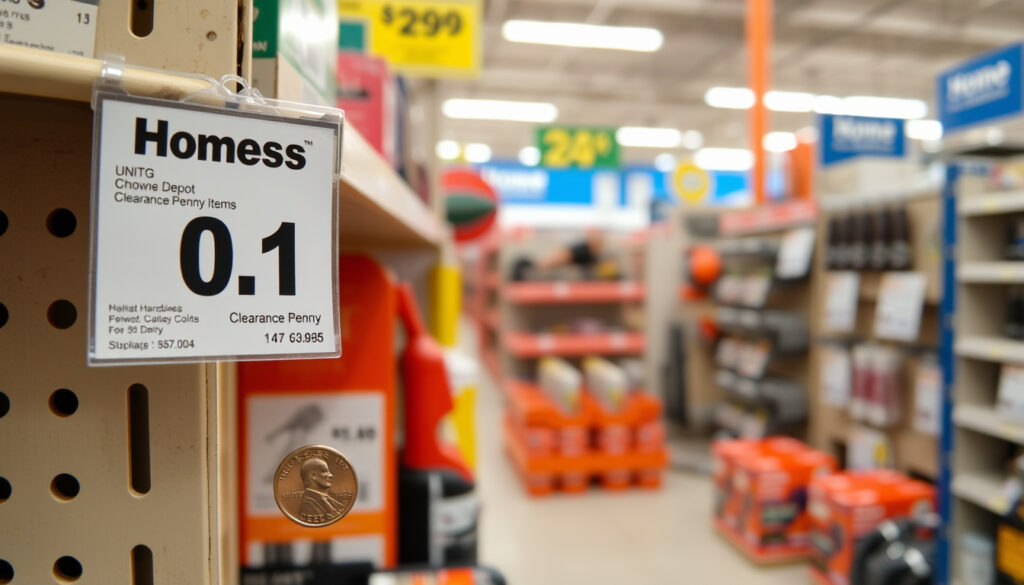
How to Find Home Depot Penny Items: A Complete Guide
Anyone who’s ever spotted a clearance tag that looks too good to be true has probably wondered: could this thing ring up for a penny? At Home Depot, the answer is sometimes yes, but getting there is a mix of strategy and luck. This guide separates the real deal from the rumors, explains how penny clearance works, and what happens when you bring that bargain to the register.
Average discount: 99% off original price ·
Penny items listed weekly: hundreds per store ·
Most common categories: seasonal decor, tools, hardware ·
Home Depot annual sales (2023): $152.7 billion ·
Policy compliance: store-dependent, often inconsistent
Quick snapshot
- Penny items exist at Home Depot and are marked down in the system (The Krazy Coupon Lady (coupon and savings blog))
- Store associates can refuse to sell penny items (The Krazy Coupon Lady)
- Exact percentage of stores that honor penny items consistently
- Whether penny items are always defective or just clearance
- Penny status may arrive about 14 weeks after a clearance date — but timing varies widely (The Krazy Coupon Lady)
- Community-run penny lists remain the best source, but items must be verified in-store via UPC scan (Penny Central (community penny-list aggregator))
| Penny price code | PA1 (penny item code in Home Depot system) |
| Penny price code source | Community reports (The Krazy Coupon Lady) |
| Typical penny item discount | 99% off original price |
| Number of penny items per store weekly | Varies, often 50–200 items |
| Home Depot stores in the US (2024) | 2,322 |
| Most reliable search method | Scanning the UPC barcode at a register or in-store scanner (The Krazy Coupon Lady) |
| Common clearance tag endings | .02, .03, .04 (indicate step-down from final clearance) (The Krazy Coupon Lady) |
| Official Home Depot policy | No public policy document on penny items exists (Home Depot (official clearance page)) |
| Store obligation | Home Depot is not legally required to sell penny items |
How to find Home Depot penny clearance items?
There is no official Home Depot “penny item” directory. The community-derived method relies on pattern recognition and in-store verification rather than any published corporate list. The following techniques, confirmed by experienced shoppers, are the most reliable.
Check the clearance endcaps
Clearance sections and endcaps, especially those around the middle of the store, are the primary hunting grounds. Yellow clearance tags are the signal, but the price on the tag may not reflect the penny status — you must scan the item. According to The Krazy Coupon Lady (established coupon and savings publication), a common community tip is to look for tags ending in .02, .03, or .04, as these may indicate items that are nearing final markdown status.
Those yellow tags with .02, .03, and .04 endings are signals, not guarantees. They indicate a clearance item that’s taken multiple markdowns — but whether it has dropped to a penny depends entirely on what the register says when scanned.
Use the Home Depot app for price scans
The Home Depot app includes a barcode scanner that lets you check prices without involving an employee. Shoppers recommend scanning the UPC barcode on the item itself — not the shelf tag — because scanning the shelf tag can trigger an employee-assistance prompt instead of showing the price, warns The Krazy Coupon Lady.
Look for tags ending in .02, .03, or .04
The price-ending system is a community-calibrated shorthand: prices ending in .06, .04, .03, and .02 roughly correspond to 25%, 50%, 75%, and 90% off, respectively. A penny item has gone beyond those steps — it’s the final markdown where the system rounds the price to $0.01. Scanning is the only way to confirm.
Ask a store associate
This option is the least recommended. The Krazy Coupon Lady specifically advises shoppers not to ask employees where penny items are, because the items are technically not supposed to be on the shelves at that point. If a customer finds one and brings it to checkout, the associate may refuse the sale if the item should have been pulled. The same guide advises shoppers to stay calm and polite if questioned, and to explain that the register showed $0.01 when scanned.
What does penny clearance at Home Depot mean?
Penny clearance is not a sales promotion. It is an inventory-management event. When an item’s price in Home Depot’s system drops to $0.01, it signals that the store no longer intends to sell that product and that it should have been pulled from the sales floor. The community guide from The Krazy Coupon Lady defines Home Depot penny items as clearance items that should have been removed from shelves after reaching final markdown status.
Why items drop to $0.01
Items typically reach penny status for one of three reasons: the product is discontinued, the packaging is damaged, or the store no longer plans to carry that SKU. The markdown is automatic, driven by inventory management software rather than a store manager’s decision.
Who decides the markdown
Home Depot’s corporate merchandising and inventory systems set the markdown levels. Individual stores have limited control over the pricing schedule — they can pull items from the floor when they know they’ve reached penny status, but they cannot manually set a price to $0.01.
When penny clearance happens
According to community sources cited by The Krazy Coupon Lady, penny status may arrive about 14 weeks after a clearance date — though some stores reportedly take 6 to 8 months to reach that final step. The variation is per-store, per-item, and often unpredictable.
Are penny items defective or just discontinued?
The short answer: it depends on the item. Penny pricing does not distinguish between reasons; it is a one-price outcome for multiple causes. Knowing the difference affects what you can expect from the product and whether you can return it.
Common reasons for penny pricing
- Discontinued SKU: Home Depot no longer carries that product. The item is new and functional, but the company wants the shelf space back.
- Damaged box or floor model: Cosmetic damage to packaging or the item itself — the product inside may be perfectly usable.
- Seasonal overstock: Holiday items, gardening supplies, or seasonal decor that didn’t sell. These are often new, just no longer seasonally relevant.
- Customer return with incomplete packaging: The system marks it down because the full kit is missing, even if the core product works.
How to check item condition
Before committing to a purchase, open the box if possible. Check for missing pieces, visible damage, or signs of use. Floor models may have wear from customer handling. Discontinued items are usually in new condition — the only downside is that Home Depot will not be replenishing that SKU.
Return policy on penny items
Home Depot’s standard return policy for clearance and penny items is not explicitly stated on their official clearance page (The Home Depot – Clearance). Community reports indicate penny item returns are typically handled at the store manager’s discretion, with many stores refusing returns on items priced below $1.00. If condition matters to you, inspect before you buy.
The pattern: The penny price is a net result of inventory pressure. The actual condition across items is a spectrum: at one end, brand-new discontinued products; at the other, floor-model returns with missing parts. The only way to know is to look.
Does Home Depot have to sell penny items?
This is the most common point of tension in penny shopping. The short legal and policy answer: no, Home Depot is not required to sell you a penny item that is still on the shelf.
Store discretion policy
Store associates have the authority to refuse the sale if they determine the item should have been pulled. This is not a case of customer harassment — it is a standard retail practice for inventory that has reached end-of-life markdown. According to The Krazy Coupon Lady, one Home Depot associate explained on Reddit that items ringing up as a penny should have been removed from shelves before customers could find them.
What to do if a store refuses
Best practice: stay calm, do not argue, and leave the item with the store. Some shoppers report that trying a different register, or visiting on a different shift when a different associate is working, yields a different outcome. But there is no corporate policy guarantee that any store will sell the item.
The enforcement gap is real. One store’s manager may let a penny item go through self-checkout without a second glance; another store’s associate may flag it immediately. The difference is training, not entitlement.
Legal obligations to honor the price tag
Generally, US retailers are not legally required to honor a shelf or electronic price that is an error. The price shown on the shelf tag is an invitation to treat, not a binding contract. If the system price differs from the shelf tag, the store can decline the transaction. Home Depot’s own inbound policy documents do not contradict this standard.
How do you get penny items at Home Depot?
The process is straightforward once you understand the mechanics. The following steps are drawn from community-based guides and verified practices.
Using the self-checkout
Many experienced shoppers prefer self-checkout because it avoids direct interaction with an associate before the price displays. Scan the item yourself; if it rings up as $0.01, you can pay and leave without having to justify the purchase. However, be prepared for an associate override if the system flags the transaction — that can happen even at self-checkout.
Knowing the penny item code (PA1)
PA1 is the internal system code used by Home Depot associates for penny items. Shoppers who know the code can identify the item type if they see it on a receipt or in the system. Understanding this code is not necessary for hunting, but it helps explain why some associates immediately recognize what you have in your cart.
Tips from experienced shoppers
- Scan the UPC barcode on the item, not the shelf tag. Shelf tag scans may generate an employee-assistance prompt instead of showing the price (The Krazy Coupon Lady).
- Use community penny lists from sites like Penny Central (community-run penny list site) to build a shortlist of candidate items sorted by recency or report strength.
- Go early in the morning, after major holidays, or during seasonal transitions — suggested shopping times from community guides (The Krazy Coupon Lady).
- Check clearance sections and endcaps, especially around the middle of the store (The Krazy Coupon Lady).
Respecting store rules
Penny shopping works best when it stays low-key. Aggressive behavior, arguing with staff, or clearing entire shelves of penny items risks ruining the practice for everyone. The community consensus is clear: be discreet, be polite, and if a store says no, move on.
The trade-off: For the diligent shopper investing scanning time and strategic visits, the reward is a 99% discount. For the casual shopper expecting a smooth, guaranteed checkout, the same items can become a point of friction. The difference between a great deal and a refused transaction is often just the shopper’s approach.
“Penny items are not advertised; you find them by scanning clearance items at a register or on the app.”
The Krazy Coupon Lady
“Items ringing up as a penny should have been pulled from shelves before customers could find them.”
Home Depot associate (quoted via The Krazy Coupon Lady)
Penny items at Home Depot are a real, legitimate phenomenon — but they exist in the gap between the system’s inventory logic and the store’s physical restocking process. Home Depot has never published a formal penny item policy, and the practice lives entirely in community knowledge. For the strategic shopper who is willing to scan, verify, and stay polite, finding a $0.01 item is a rare win. For anyone expecting a smooth, advertised, guaranteed experience, it is best to treat penny hunting as a bonus game, not a reliable savings strategy. For the Home Depot chain with 2,322 US stores, the inconsistency in enforcement means some locations are gold mines and others are dead ends — and the corporate office shows no sign of closing that gap.
Savvy shoppers often combine penny item hunting with the Home Depot price match policy to maximize savings on clearance merchandise.
Frequently asked questions
Can you get penny items at Home Depot online?
Community sources suggest some penny items may appear on the Home Depot website under the Clearance category, but the existence of officially listed penny items on the website is not confirmed by Home Depot itself. The most reliable penny finds are in-store.
How often do Home Depot penny items update?
Penny status updates are driven by the inventory system, not a fixed schedule. Community reports suggest new penny items may appear around seasonal transitions and after major holidays.
Are penny items the same as clearance items?
No. Clearance items are marked down at various percentages but still have a retail price above $0.01. Penny items are a subset of clearance that have reached final markdown status and should have been removed from the sales floor.
What is the best time to find penny items at Home Depot?
Early mornings before restocking, after major holidays, and during seasonal transitions are suggested as prime hunting times (The Krazy Coupon Lady).
Can you use coupons on penny items?
Home Depot’s coupon policy generally applies to regularly priced items. Coupons on items already reduced to $0.01 are typically not accepted or applicable.
Do other stores like Lowes have penny items?
Yes. Lowes and other major home improvement retailers operate similar inventory markdown systems. The policies and enforcement at each chain differ, and neither publishes a formal penny item program.
What should you do if a Home Depot employee refuses to sell a penny item?
Stay calm and polite. Do not argue. Accept the refusal and leave the item. Some shoppers report success on a different day or at a different register, but there is no guarantee of a sale.
More related posts
 The Ordinary Niacinamide 10% + Zinc 1% Reviews: Real Results
 10 Things I Hate About You: Poem, Cast & Friendship
 76ers vs Houston Rockets: Match Player Stats 2025-26
 Landman Season 2 Release Date: Schedule & How to Watch
 Song of the South: Controversy, Disney Ban & Where to Watch Explained
 How Much I Pet In urance? Average Co t in Ireland
 When Was the Vietnam War? Dates, Timeline & U.S. Role
 The Day The Earth Stood Still: 1951 vs 2008 Remake Guide